![BLAU__EMBLEMA PRINCIPAL SENSE ESLOGAN (1)-1.png]](https://help.meetmaps.com/hs-fs/hubfs/BLAU__EMBLEMA%20PRINCIPAL%20SENSE%20ESLOGAN%20(1)-1.png?height=40&name=BLAU__EMBLEMA%20PRINCIPAL%20SENSE%20ESLOGAN%20(1)-1.png)
To get the embed link of a YouTube video, do it as follows:
1. Locate the YouTube video from which you would like to extract the Embed link and enter it.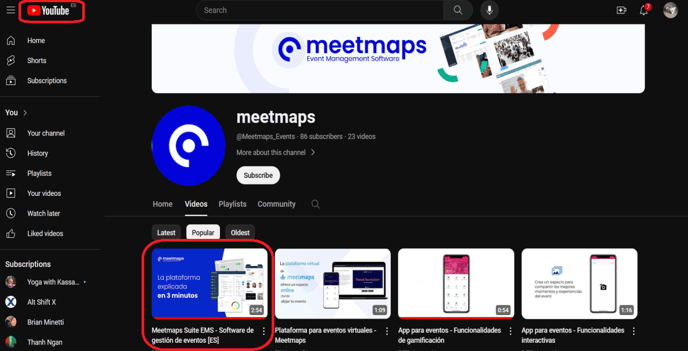 2. Click on the share button located below the video.
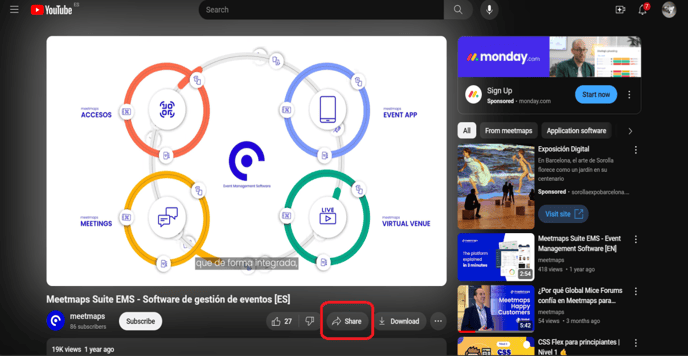 3. A pop-up will appear in which you must click the “Embed” icon.
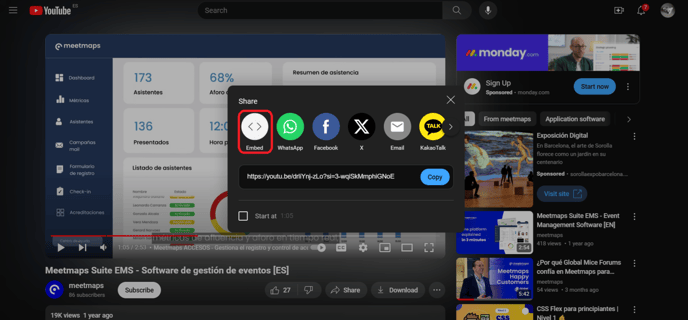 4. Now you will find yourself in the box where you can copy the embed link. Select and copy the part of the link that starts from https:// to the first set of quotation marks as shown in the image.
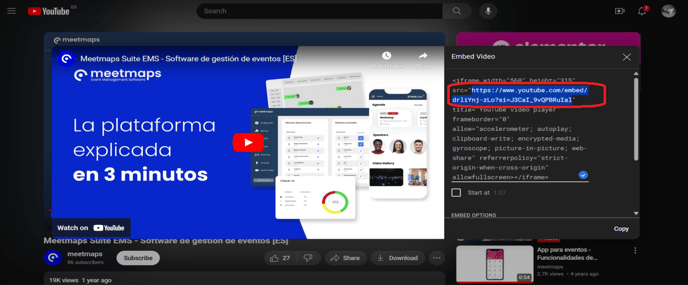 5. The link will be copied to your clipboard and you can now “paste” it wherever you need.
To get the embed link of a Vimeo video:
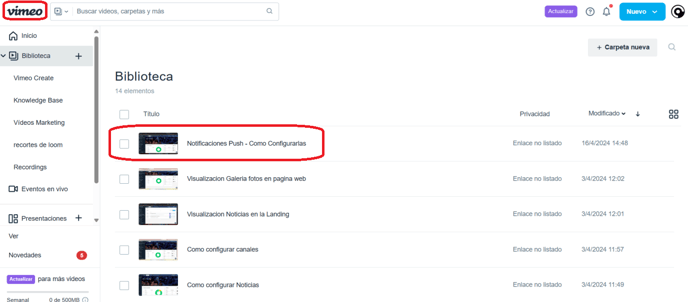
1. Locate the Vimeo video from which you would like to extract the Embed link and click to enter it.
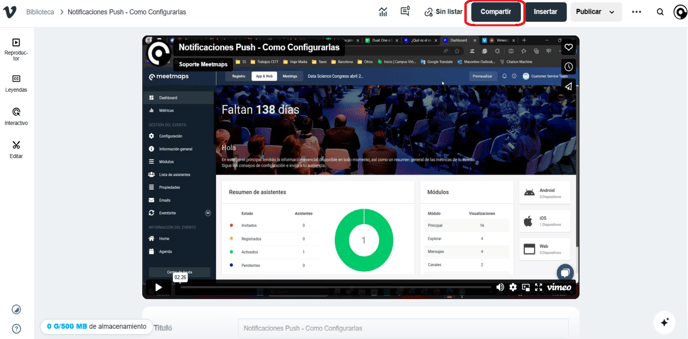
 2. Click on the “Share” button at the top right.
3. A pop-up will appear. Select the option "Insert/Insertar" , then select the embed option, and there you can copy the embed link of the video manually. Select only the code that is between <iframe></iframe>.
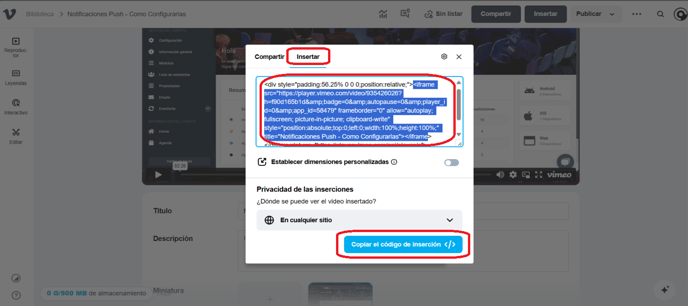
5. The link will be copied to your clipboard and you can now “paste” it wherever you need.