-1.png?width=150&height=31&name=logotipo_centro_de_ayuda%20(1)-1.png)
NOTE 🗒️: If you haven't already, take a look at the main article about this section 👉What is the properties section?
The properties from Properties > Import correspond to the fields in the Excel or CSV file that you can download to import the attendee database in bulk.
+ info 👉 How can I import and/or edit attendees in bulk?
Here you must add those properties that you wish to see in the Excel export of the list of guest attendees 🍎and registered attendees 🍋.
IMPORTANT ❗Have in mind that in the export sheet, besides the properties that you define, these two properties will be shown by default.
- Email: it is necessary to register an attendee.
- Password: Always leave this column empty. The passwords are created randomly by the system.
Configuration
We will show an example:
I have to import the following data in my attendee database excel:
- Name
- Last name
- Language
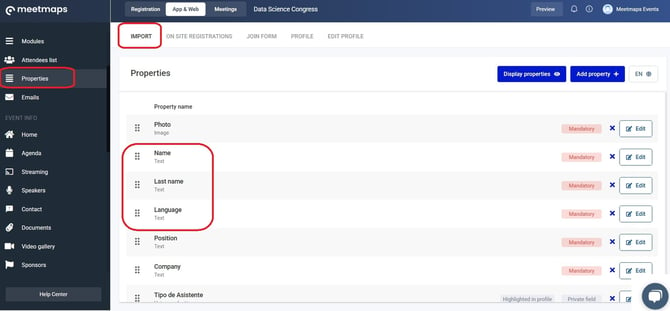
In Properties > Import add the predefined properties (native properties): Name, Last name, Language.
In the Attendees list you must click the Import button and download the template to import the attendees.
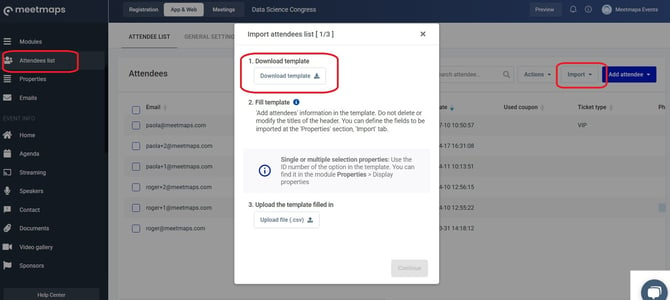
The template is opened in Google Sheets or Excel, and the attendee details are filled out.
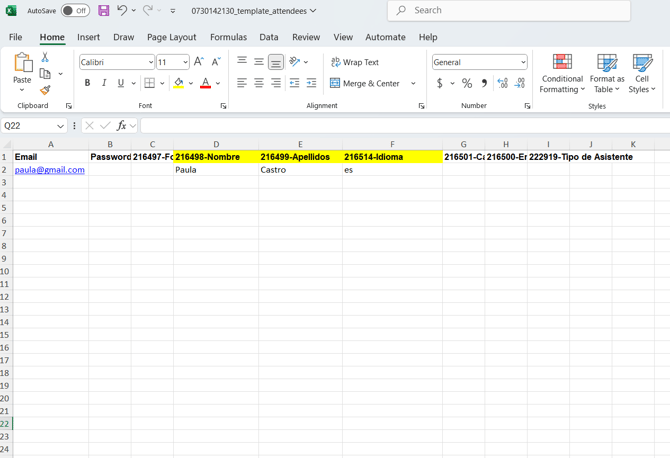
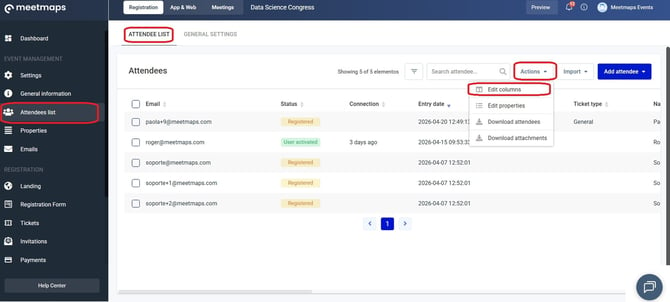
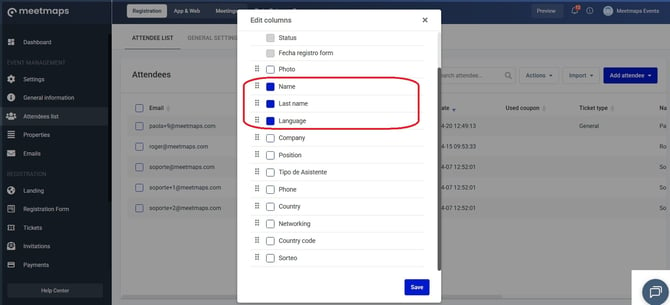
Then, when the template is imported and the details are uploaded, it is possible to edit the columns order by clicking in the Actions > Edit columns button.