-1.png?width=150&height=31&name=logotipo_centro_de_ayuda%20(1)-1.png)
Available for these licenses:
 Meetings Enterprise
Suite Enterprise
NOTE 🗒️: If you haven't taken a look at it yet, we recommend that you look at our Meetings guide where you will find more information on how to use this panel and the different things you can do in it.
+ info 👉 Meetings Guide
This functionality is very useful when you want to suggest attendees to meet with certain roles or groups of attendees.
Configuration
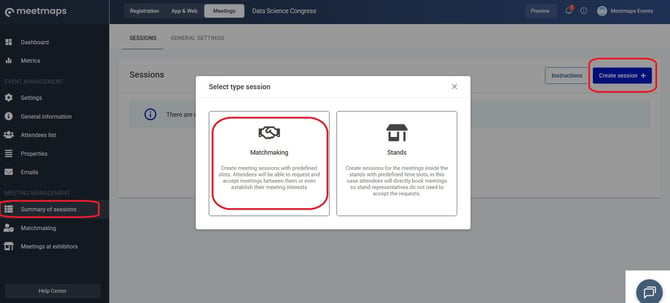
1. In the Meetings > session summary click on the blue "create session+" button to create a Matchmaking session.
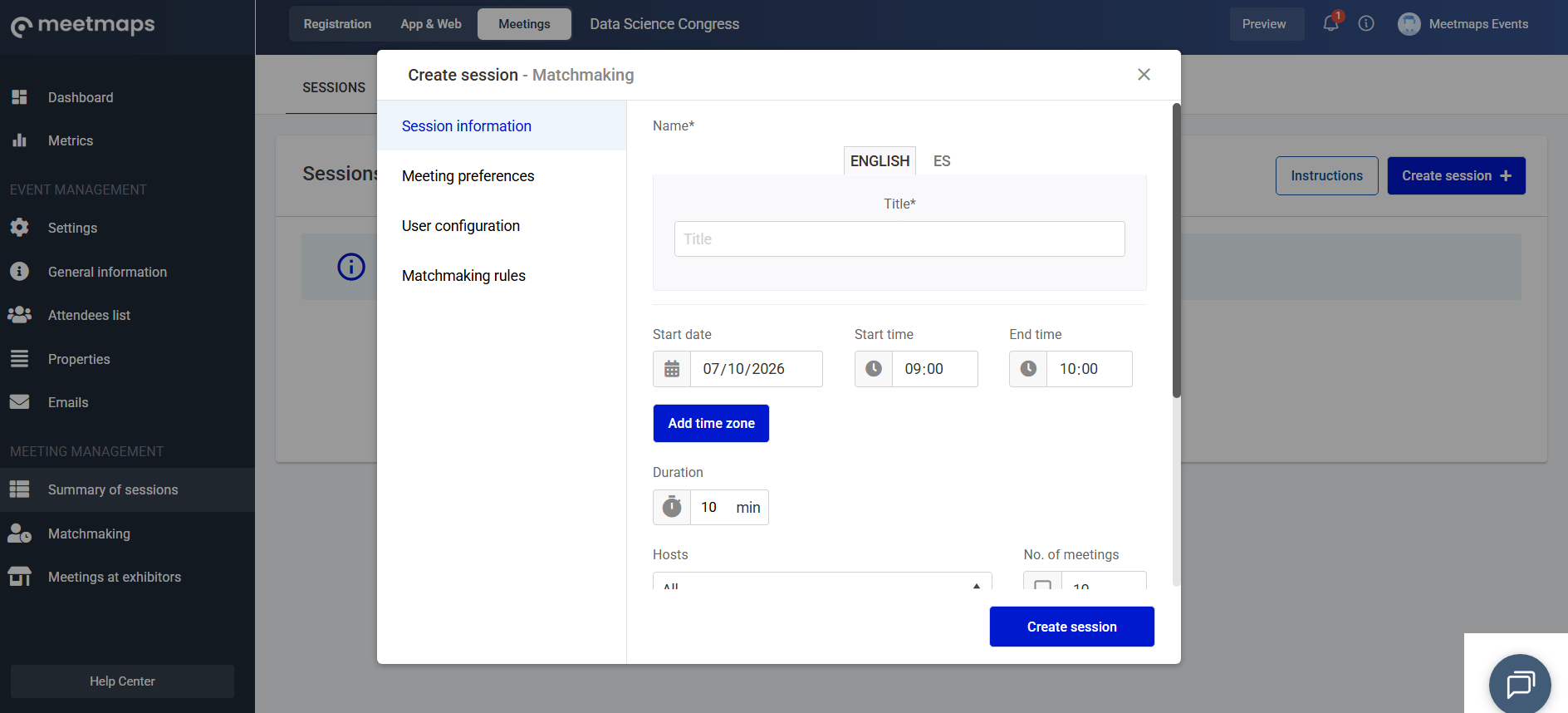
2. Fill in all the information for this session in the various sections of the side menu.
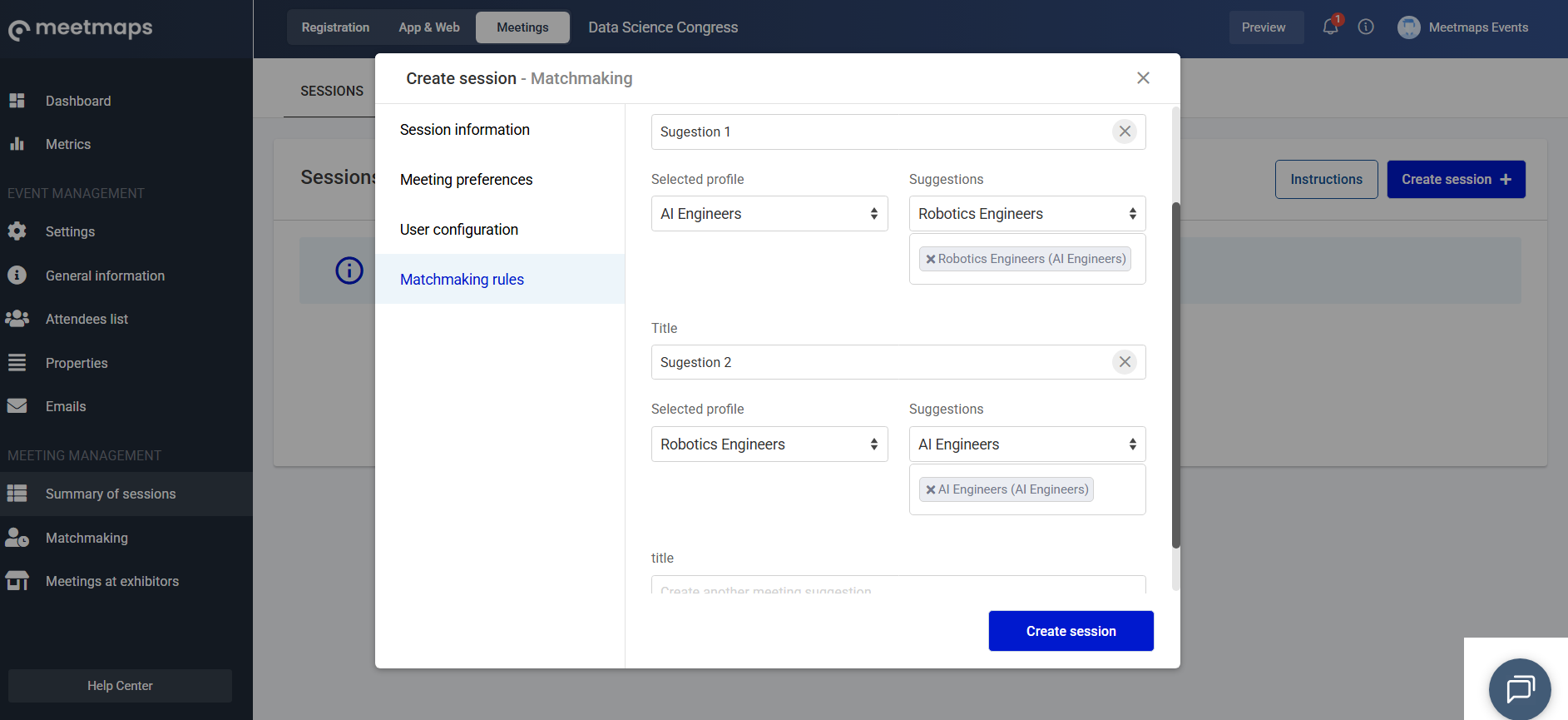
3. Now activate the suggestions in the "Matchmaking rules" section.
You can create matchmaking rules through the properties of:
- unique selection
- multiple choice
Example: In this example we have created 2 suggestions:
1. Attendees with the "AI Engineers" role are suggested to meet with attendees with the "AI Engineers" and "Robotics Engineers" roles.
2. I suggest attendees with the “Robotics Engineers” role meet with attendees with the “AI Engineers” role.
4.Click the save/create Session button
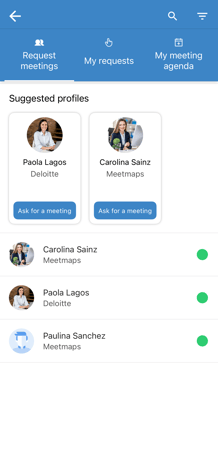
As shown
Web 💻
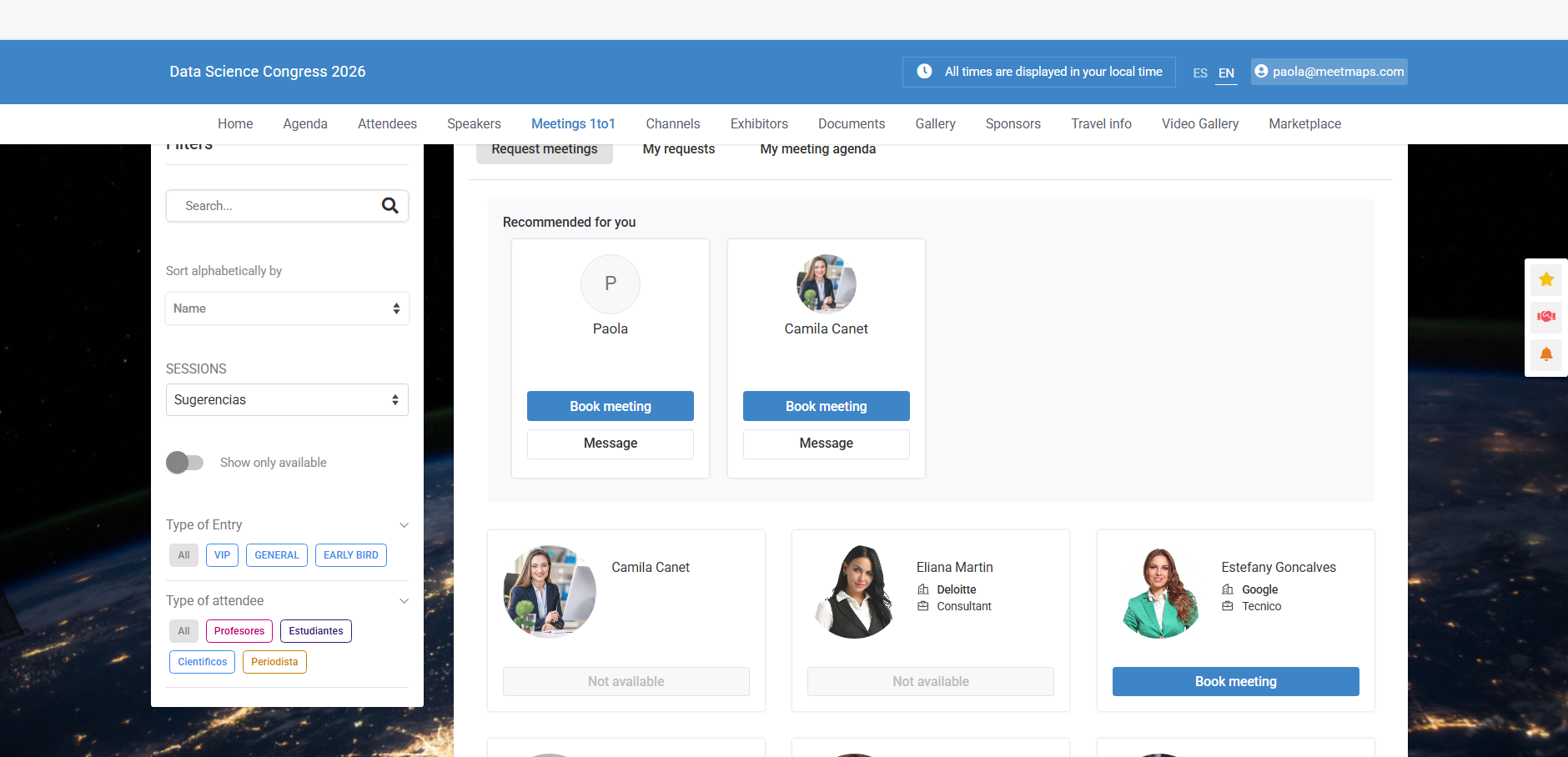
App 📱
NOTE🗒️: Check out the following articles that might also interest you:
+info 👉 What is the Properties section?
+info 👉 What are Meetings 1to1 with preferences?